Flagship product

BidClaw

The whole bid pipeline in one place, from first look to award. Built alongside a working estimating department, not in a lab.

In daily use at Mill Plain Electric • Opening to more contractors
Scroll to explore
01 First Look→ 02 Second Look→ 03 Go / No-Go→ 04 Active Bid Log→ 05 Results Log

BidClaw captures bid opportunities from parsed invitation emails and the plan centers you choose, scores each one, runs it through a Go/No-Go pipeline, manages subcontractor invitations, and keeps the complete history of every job from the day the bid was found to the day the job closed out. One ID follows a bid through every stage, so any job’s full story can be reconstructed at any time.

It was built by Cybear404 together with Mill Plain Electric, an electrical contractor, alongside a working estimating department. Every stage reflects how an estimating team actually makes decisions.

See it work

Six parts of BidClaw, in the order an estimating office uses them, recorded in the demo company. Each clip plays as you reach it. Click any clip, or the Full screen button, to watch it at full size.

01 · Bid View Live

Bids find you

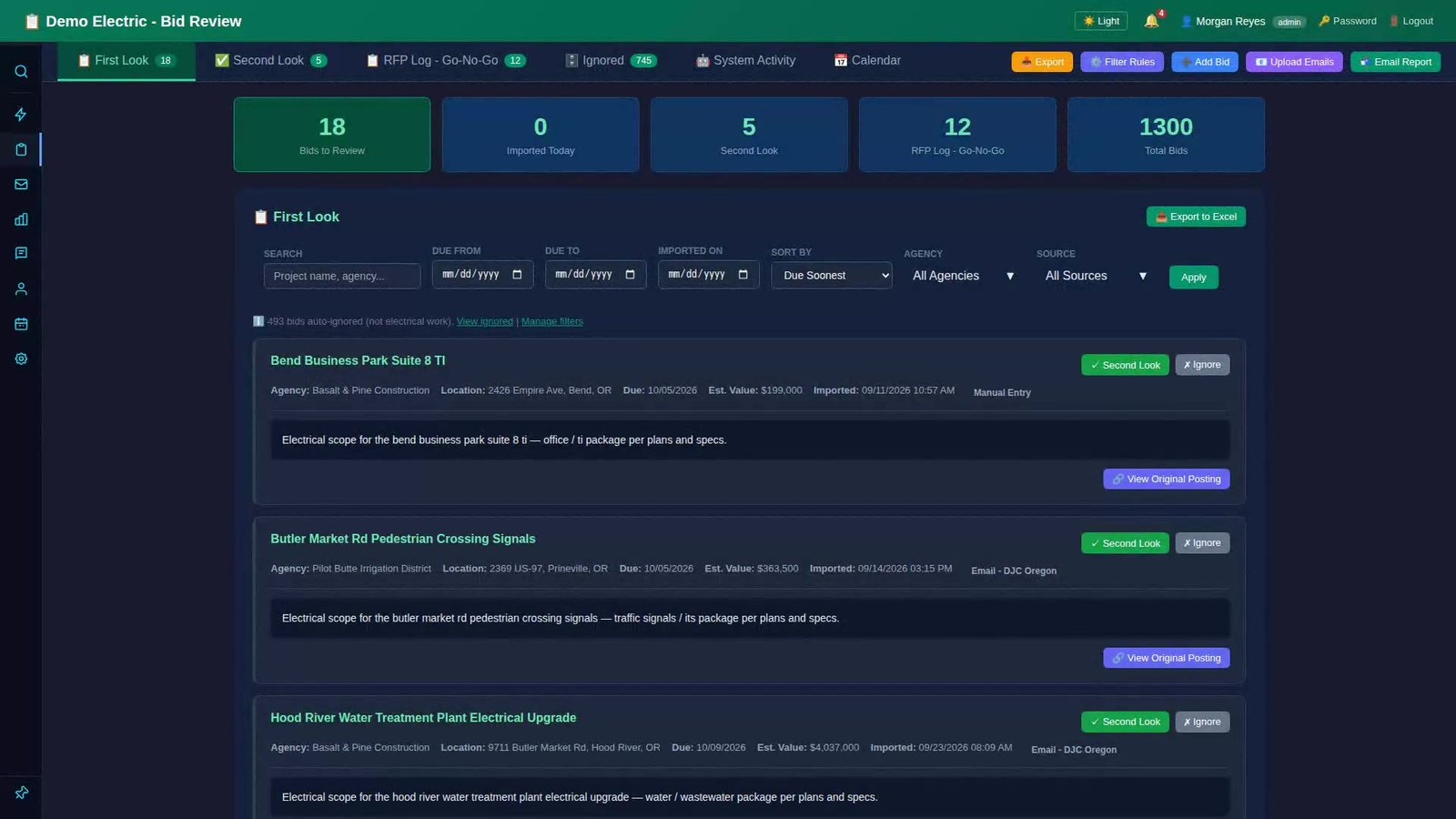
First Look fills automatically from parsed invitation emails and the plan centers you choose, a source list built for each company. Some plan centers have to approve the connection, and anything that cannot be connected can still be added by hand. Every bid arrives scored 0 to 100 on work type, territory, known clients, and scope keywords, with instant fails for the wrong kind of work, so reviewers see what matters first. Approve it to Second Look and send it on to the RFP Log in two clicks.
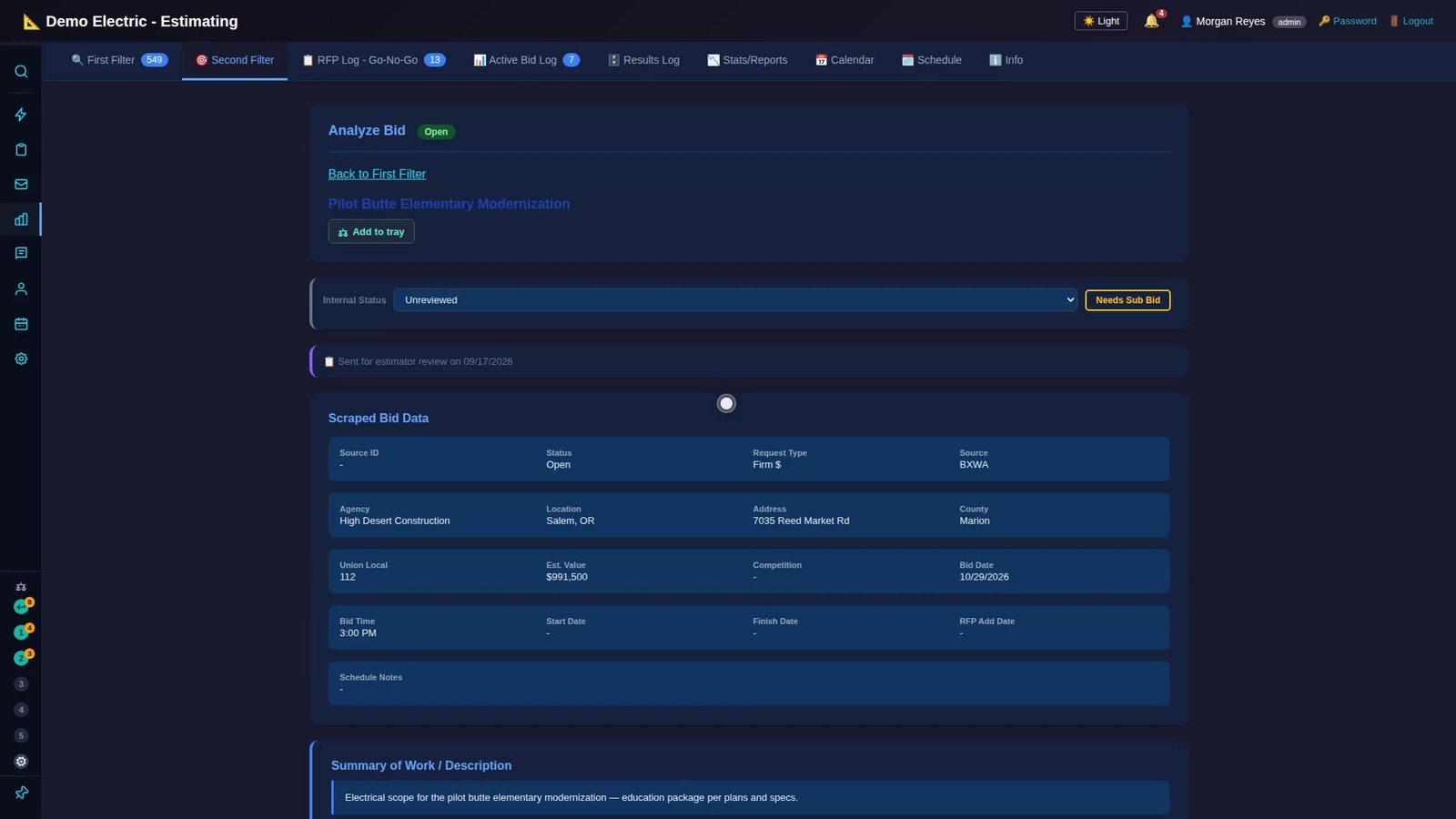
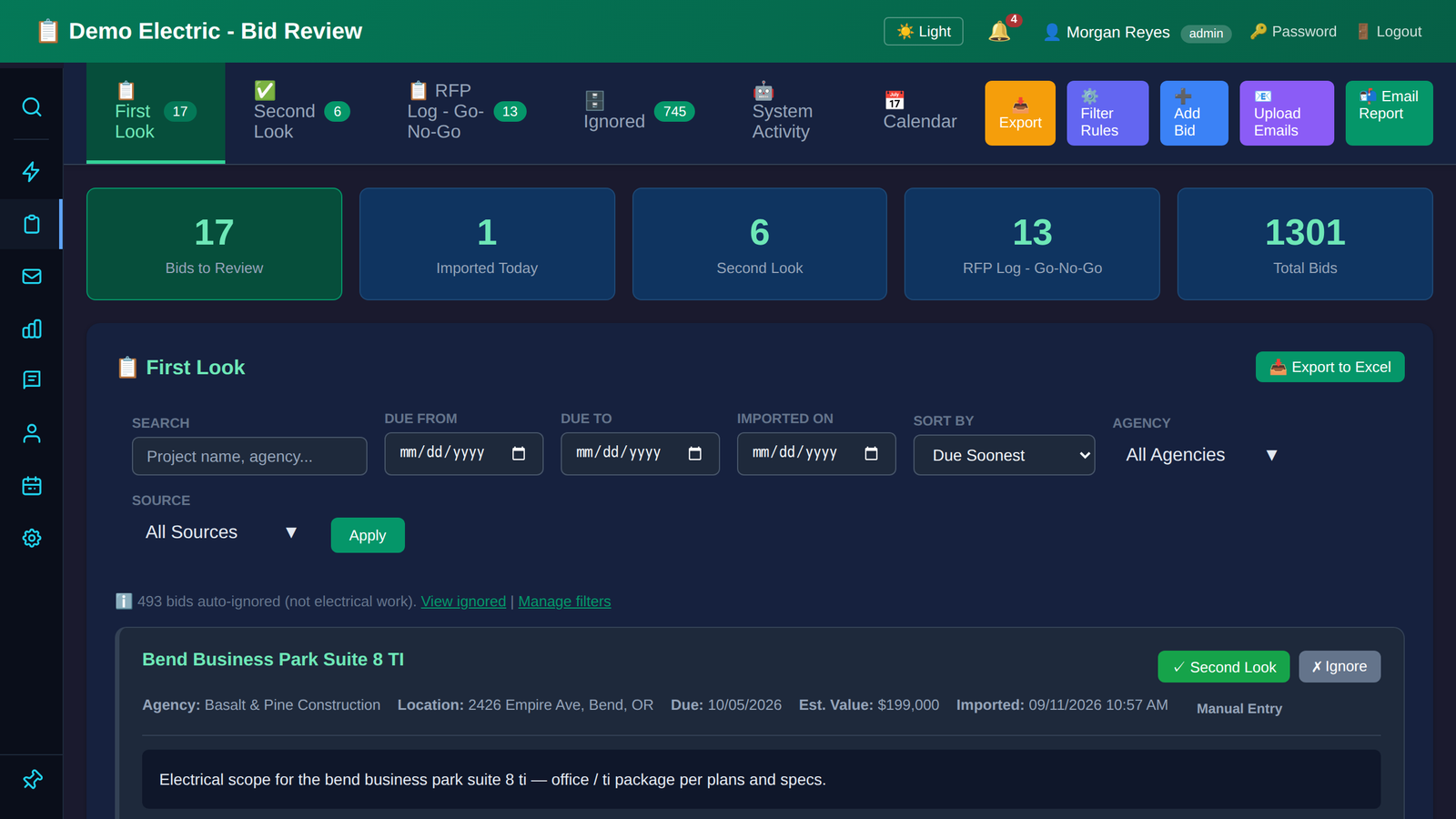
Bid View: a new bid walked from First Look to Second Look to the RFP Log.
02 · RFQ Live

Send the RFQs and know who’s bidding

Pick a bid that needs quotes and BidClaw drafts the invitation: bid details filled in, a quote due date, the estimator, and a trade-by-trade picker that sends one email per contact per trade scope. Vendors answer on a public page with no login: yes, no, or yes to part of the scope. Addendums come with an acknowledgment matrix, reminders go out automatically, and vendors who viewed but never answered are flagged. The quotes themselves still arrive the way they do today; BidClaw keeps track of who is in and who is out.

RFQ: an invitation drafted by trade, saved, and the closed invitations with their response stats.
03 · Estimating Live

Score it before you chase it

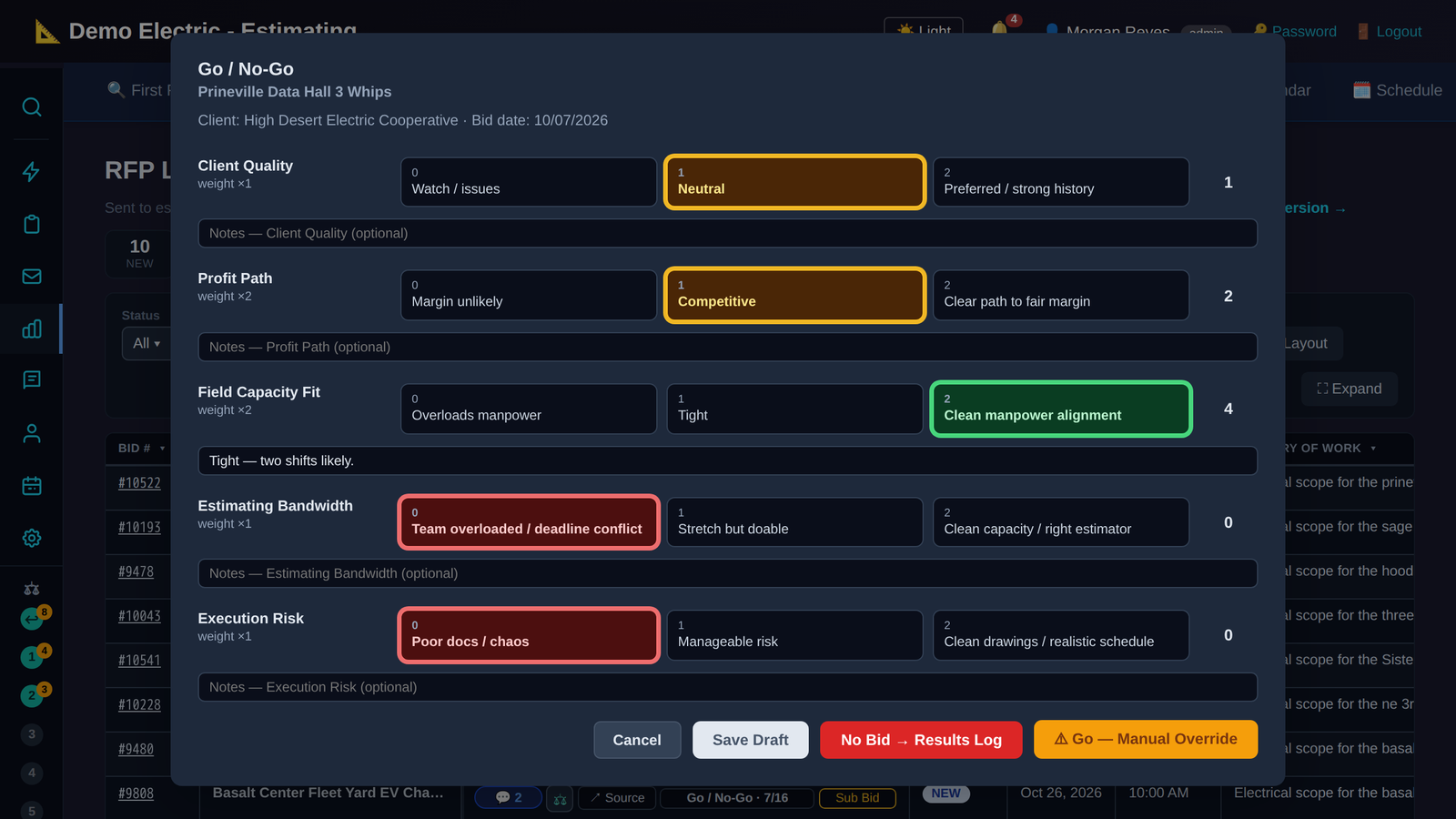
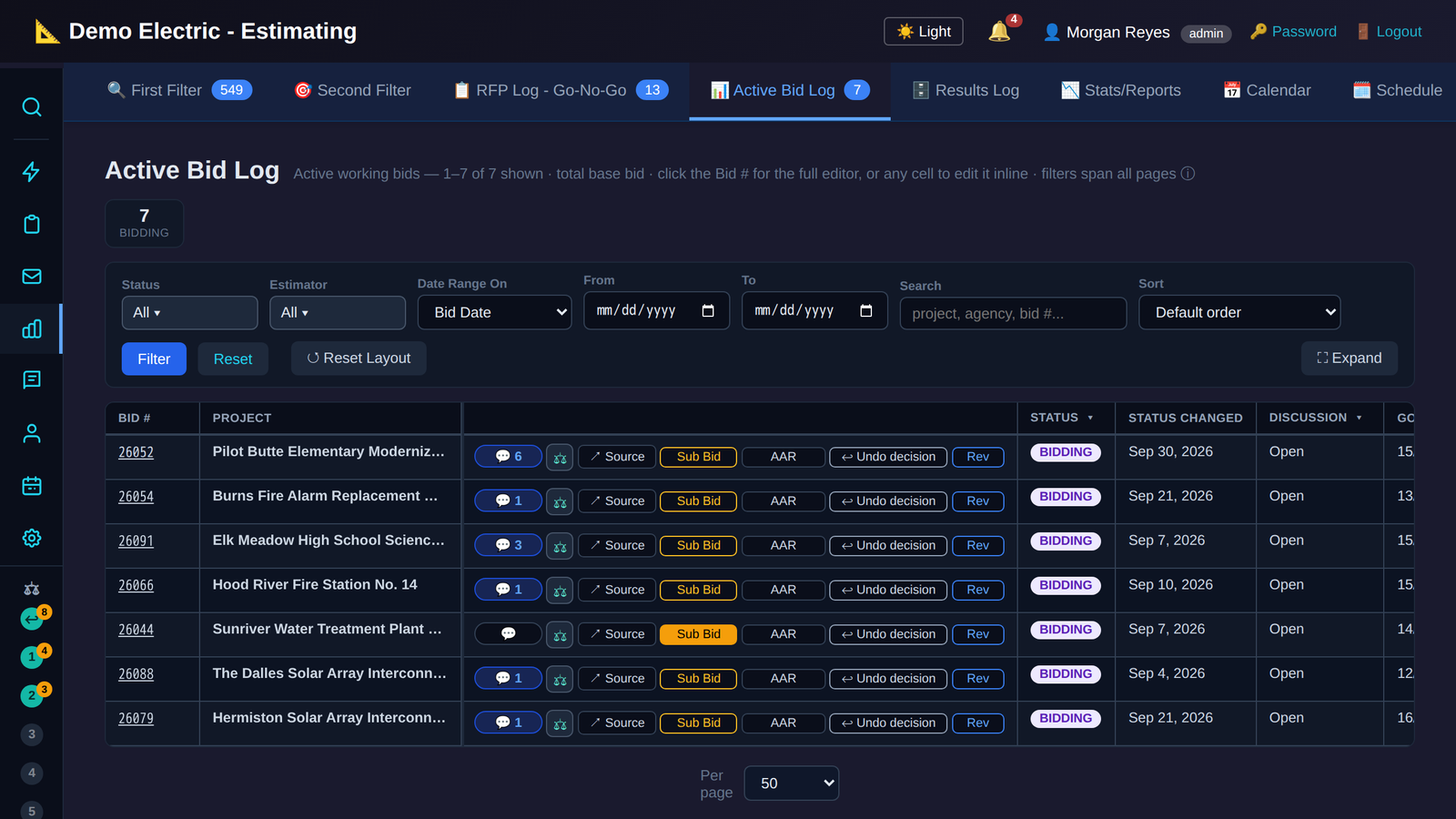
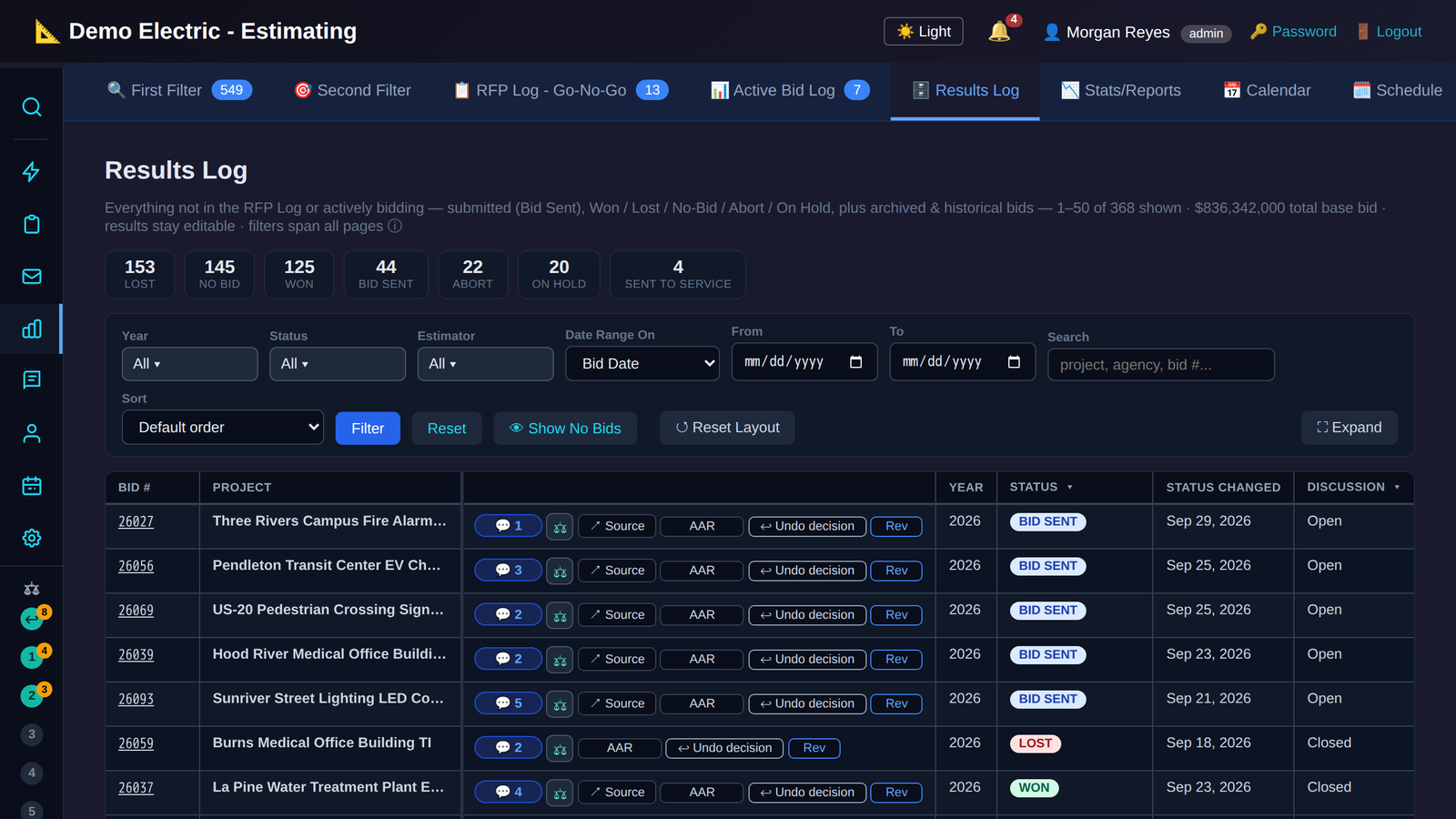
The Go/No-Go scorecard mirrors the decision sheet estimators already use: six weighted categories plus two escalation triggers, scored out of 16, with recommendation bands. Watch the band climb to “Proceed with bidding” and the button flip to Go. One click assigns an estimator with effort days, mints the company bid number, and moves the row to the Active Bid Log. The Results Log then fills itself from the estimate export, and any figure can be overridden with the change marked and audited.

Estimating: a Go/No-Go scored live, an estimator assigned, and the bid landing in the Active Bid Log.
04 · Historical Data Live

Learn from the jobs you’ve built

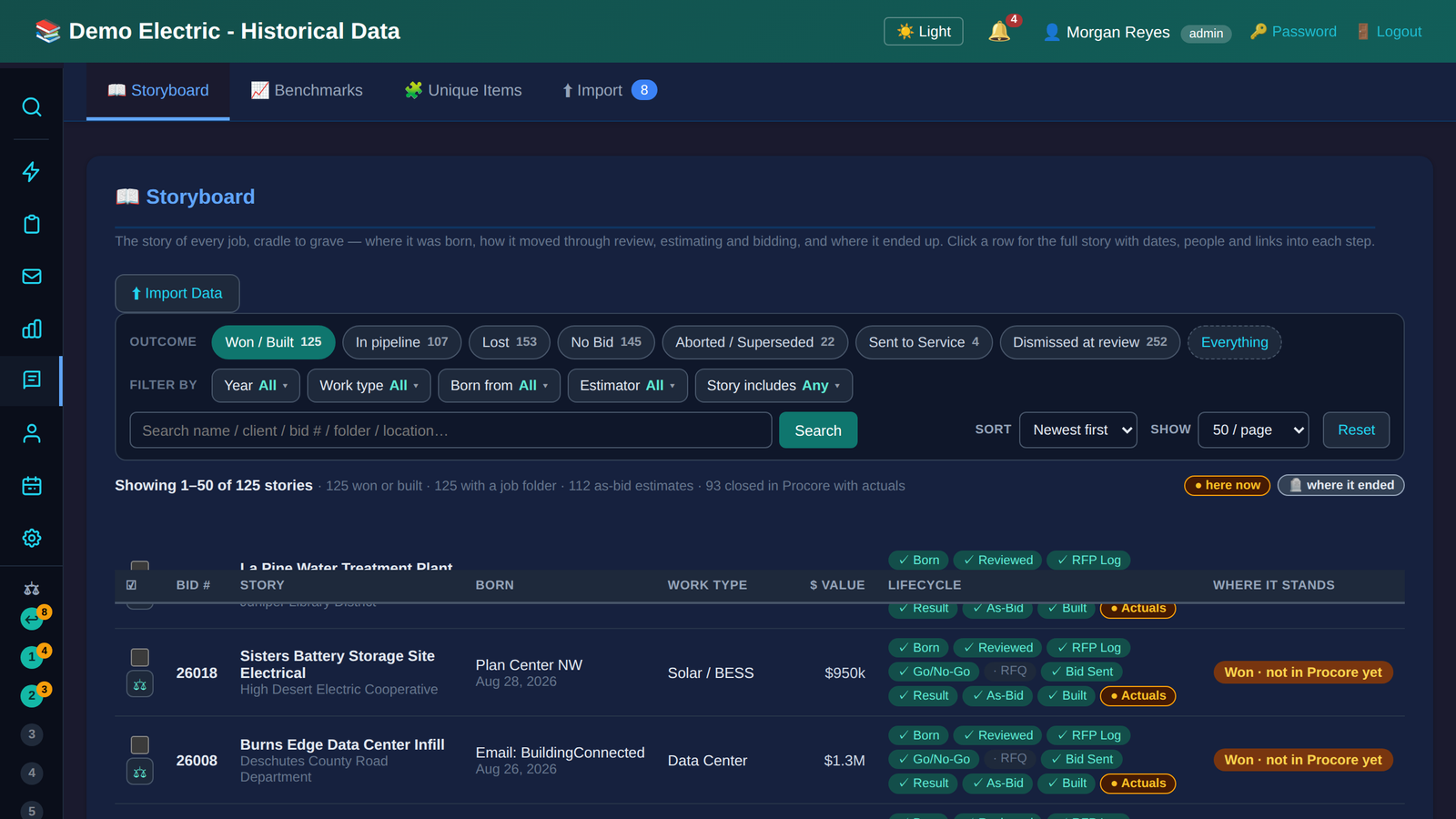
The Storyboard keeps one row per job, from the day the bid was born through review, Go/No-Go, RFQ, bid sent, result, as-bid, built, and actuals, every stage dated and clickable. Open a closed job and the Procore actuals are right there: cost per square foot, cost to date, over or under, budget versus posted hours, down to the cost codes. Jobs still in progress are labelled as such, and benchmarks use closed jobs only. Drag any jobs or bids onto a Compare Tray to see them side by side.

Historical Data: the storyboard, a job’s actuals from Procore, and benchmarks.
05 · Manpower In development

Plan the crews two years out

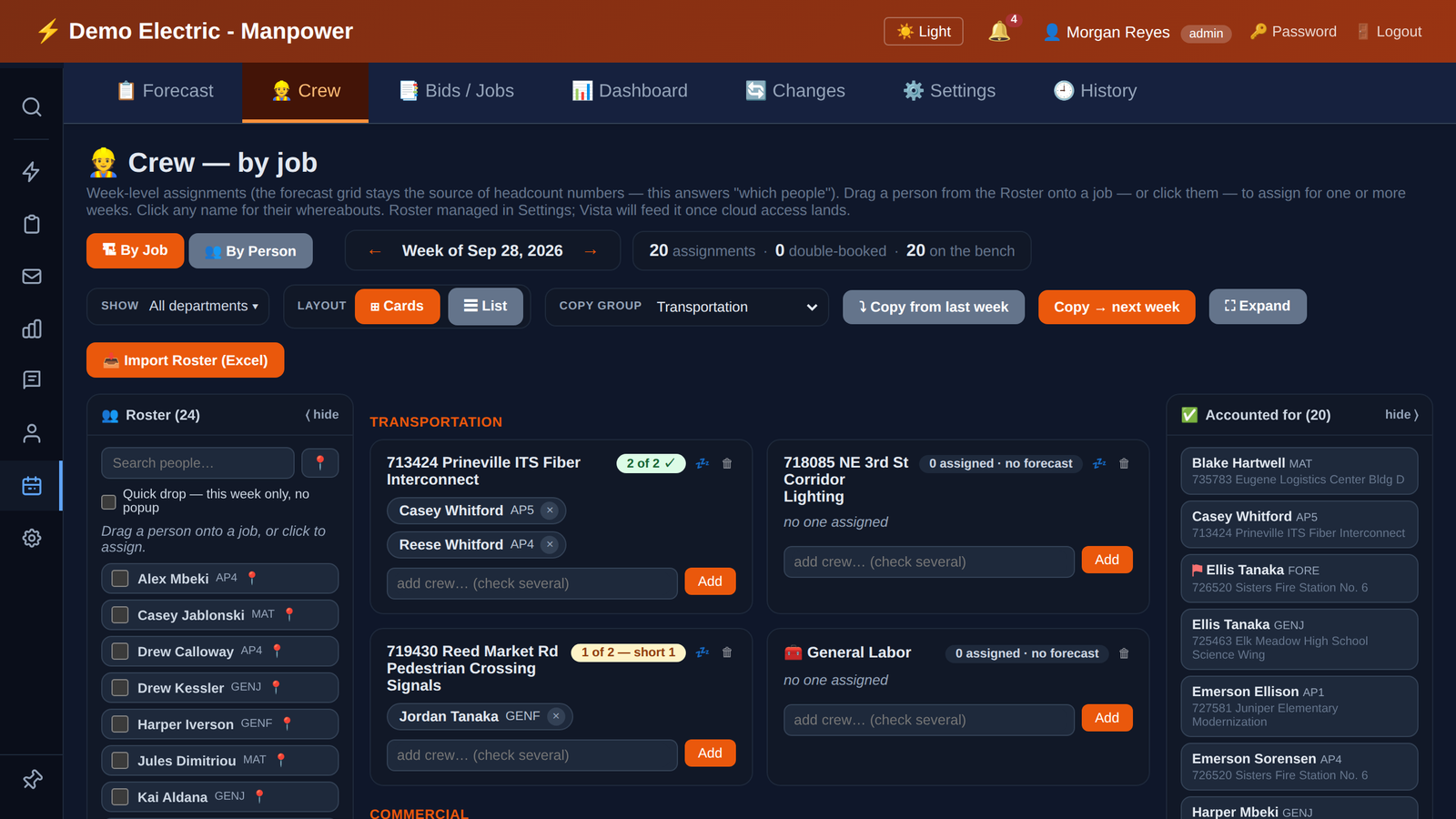
A weekly headcount grid two years out across projects, office functions, and win-weighted bids: a bid at 25% likelihood counts as a quarter of its crew. Change a number and the department total updates as you type, with warnings when the forecast exceeds company capacity. The Crew tab shows who is on which job this week, assigned against forecast, and the dashboard gives leadership a hiring envelope and a capacity heat map. Being built with Mill Plain Electric to replace their legacy scheduling workbook.

Manpower, in development: the forecast grid, a headcount edit, the Crew tab, and the dashboard.
06 · Action Center Live

One page of what needs a human today

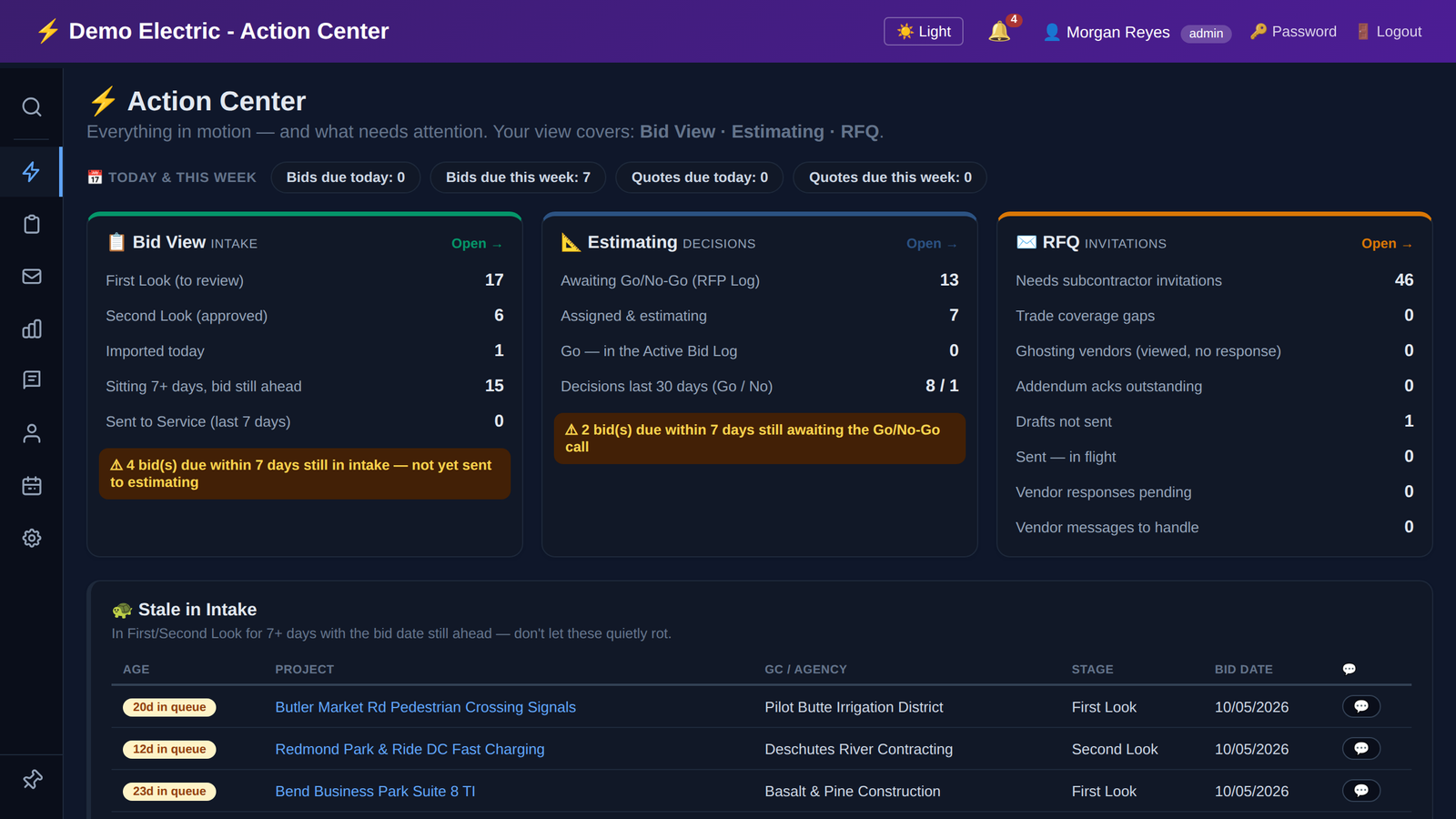
Across Bid View, Estimating, and RFQ: bids due soon and still awaiting a Go/No-Go, bids with no subcontractor invitations yet, trade coverage gaps, vendors who went quiet, outstanding addendum acknowledgments, stale intake, unsent drafts, and a decision feed. Each person sees only the systems they have access to. It is the first screen to open on Monday and the last one to check on Friday.

Action Center: the hub across Bid View, Estimating, and RFQ, and the stale-in-intake queue.
Second Filter

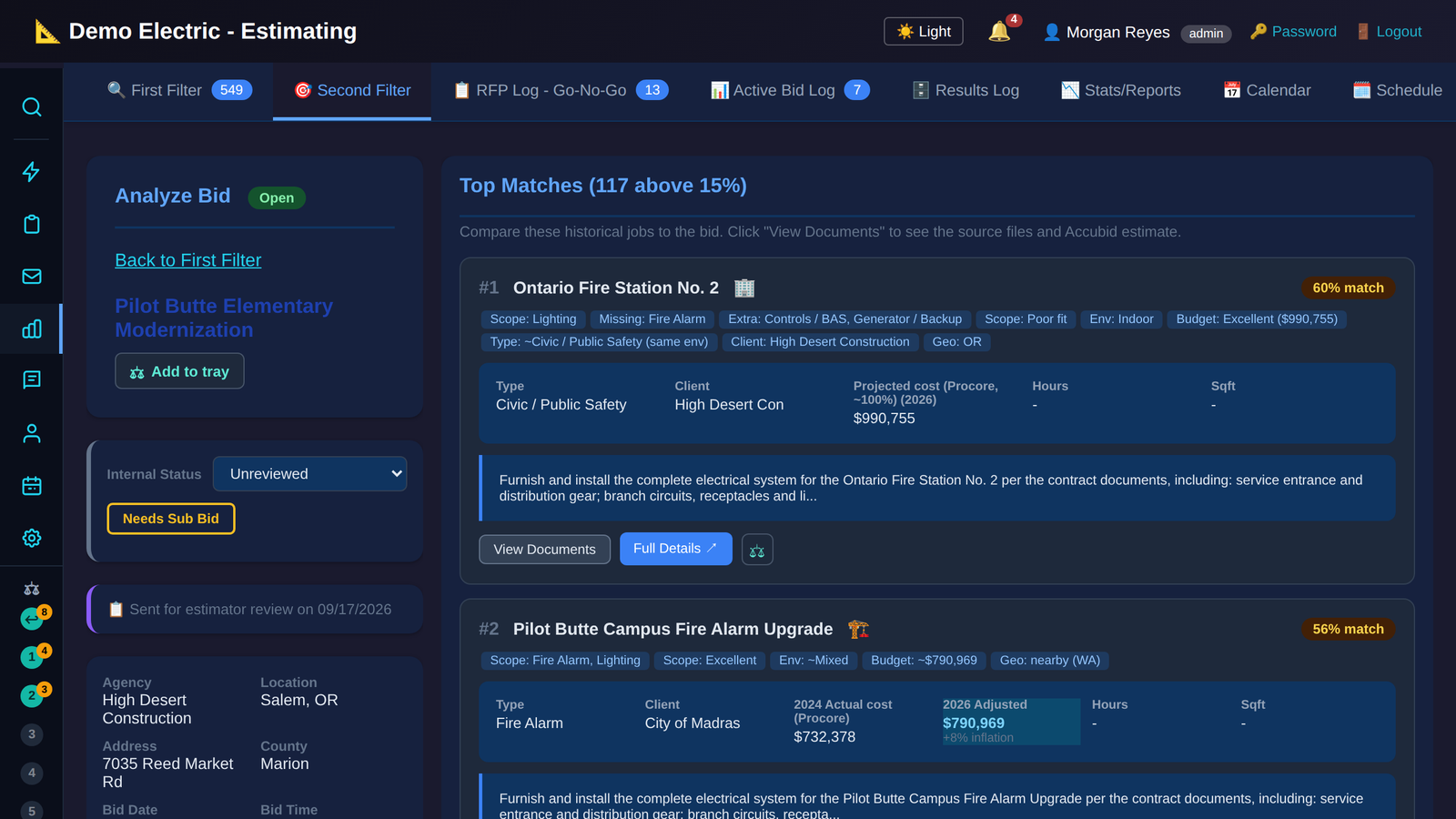
Find the jobs you’ve already built that look like this one

Describe the bid: work type, indoor or out, square footage, budget, the scope items that matter. BidClaw ranks your completed jobs by how closely they match, tells you why, and brings each one’s Procore actuals and hours along, adjusted for inflation. Match cards go straight into a Compare Tray.

Your estimate starts from what you actually spent last time, not from a memory of it.

Every screen, built for the work

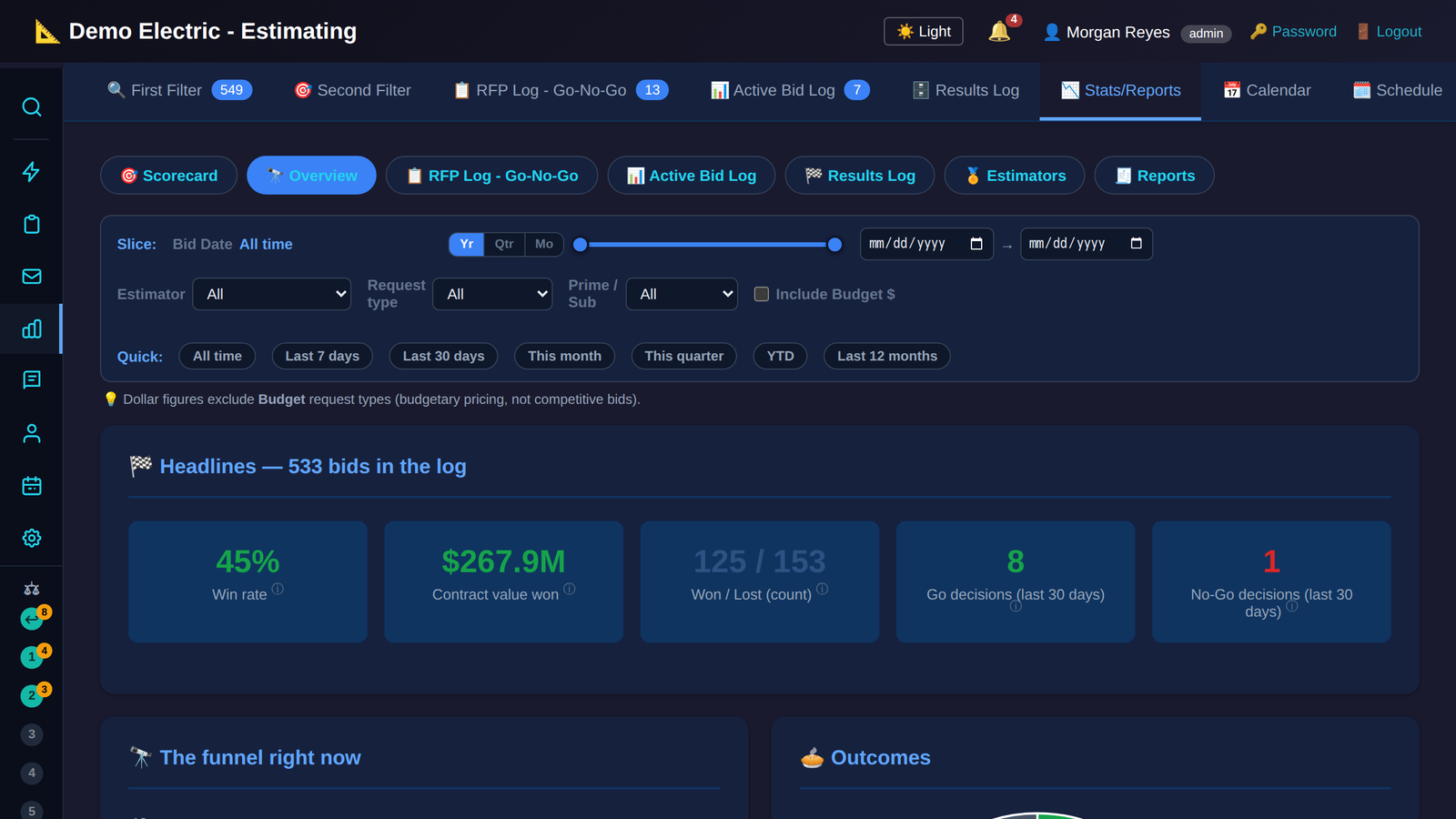
Nine more screens from the demo company. Click any of them to see it full size.

What it does for you

Less chasing, fewer surprises, better calls on bid day.

  • Bids find you. Invitation emails are parsed automatically, and the plan centers you choose are watched for you. The source list is built for each company; some plan centers have to approve the connection, and anything that cannot be connected can still be added by hand. Nobody checks plan centers by hand.
  • A scored queue, not a pile. Every bid is scored 0 to 100 on work type, territory, known clients, and scope keywords, with instant fails for the wrong kind of work. Reviewers see what matters first.
  • Know which bids are worth your time. A Go/No-Go scorecard with six weighted categories, two escalation triggers, a score out of 16, and recommendation bands from Proceed down to No Bid, with the reasoning kept on the record.
  • The Storyboard. One row per job showing exactly where it stands, from captured bid to built job with actuals, every stage dated and clickable. One ID follows a bid through every stage and every table, so any job’s full story can be reconstructed at any time.
  • Compare Trays. A personal workbench of saved side-by-side comparisons that stays put when you click away. Drag any job or bid from anywhere onto a tray, see the difference against a baseline on every number, and export it to Excel.
  • Real actuals, read-only. Procore costs, hours, prime contracts, and change orders are pulled in by an API client that physically cannot write, verified by a check before every release. Benchmarks use closed jobs only; in-progress jobs are labelled as such.
  • Ask it in plain English. Staff connect their own Claude to BidClaw and ask questions of the live data, gated by the same permissions they have in the app. A paid add-on; details below.
  • Connects to the systems you already run. Procore, read-only, and HubSpot for your vendor and contact database are connected today. BidClaw replaced a stack of Smartsheet logs and spreadsheets at its first customer. If your accounting or project system has an API, we can connect it; details below.

Modules: the core, plus whatever your office runs on

BidClaw is built as a core plus modules. The bid pipeline is the core. Modules add the other functions an estimating and operations office depends on, and every module shares the same logins, data, and permissions, so a new tool never means a new silo.

  • Manpower Forecasting Module. In development A weekly headcount grid two years out across projects, office functions, and win-weighted bids, with named crews per job per week, over-allocation warnings against company capacity, a phone mode for field leads, dashboards with a hiring envelope and capacity heat map, and timesheet actuals from Procore. Being built with Mill Plain Electric to replace their legacy scheduling workbook.
  • Need a custom module? Add it on. If your office runs on a spreadsheet nobody wants to touch, that is a module waiting to be built. We scope it to how you actually work and plug it into the same data the rest of BidClaw uses.
  • Permissions handled. Access is granted per section at one of three levels, none, read, or write, across Bid View, RFQ, Estimating, Historical Data, Contacts and Vendors, Manpower, and the admin tiers. Roles are starting points, not cages: a new user gets a role template, and an admin can override any single section for that person. The sidebar only shows what a person can read, so a reviewer never sees estimating pages and a field lead never sees bids. Every edit is logged with who, when, old, and new.

Connect the systems you already run

Procore and HubSpot are connected today: Procore through a client that can only read, HubSpot for your vendor and contact database. If you’re signed up for a system with an API, you already own the connector. Our job is to switch it on and wire it into BidClaw, with a little custom code for how your company uses it, so projects, costs, and contacts flow in without anyone retyping them.

  1. You already have the access Most construction software includes an API with your subscription. We confirm what your plan covers and which accounts need to grant access.
  2. We activate the connector Keys, sign-in, and permissions get set up with your administrator, scoped to exactly what BidClaw needs and nothing more.
  3. We write the semi-custom glue No two companies use Procore or HubSpot the same way. A modest amount of code per company maps your fields, your departments, and your naming to BidClaw’s.
  4. Data flows, permissions carry over Projects, roster, bids, and contacts update on their own, and each person sees only what their BidClaw role allows.

Running something else?

If the system has an API, we can almost certainly connect it. Accounting, project management, and the bidding platforms your trade uses are all fair game. Tell us what you run and we’ll tell you what it takes.

Your estimating department’s memory, on call

Every bid you’ve chased, every job you’ve finished, every lesson you logged, answerable in a sentence. Connect Claude is a paid add-on: BidClaw is a Model Context Protocol (MCP) server, so staff add it to their own Claude, in claude.ai, Claude Desktop, or Claude Code, and ask questions in plain English. Claude does the reasoning. BidClaw serves read-only, permission-scoped data.

What you can ask

  • “What’s due this week?”
  • “How did our last three jobs for this client finish?”
  • “Have we ever priced a 400-amp generator docking station?”
  • “Which estimator has the best win rate on industrial work?”
  • “Tell me everything about this job number.” One answer: stages, Go/No-Go, final metrics, proposal scope, the as-bid estimate, and the Procore figures.

How it behaves

  • Read-only, down to the database. Free-form questions run as a locked-down database role that can only read a curated set of about 30 views. Logins, permissions, API keys, bid-source credentials, and the audit log are never exposed.
  • Same permissions as the app. A personal token identifies the person, and the tools Claude sees are cut to that person’s sections. Someone with Bid View only cannot reach estimating data, even by asking cleverly.
  • Dollars are a separate switch. Costs, prices, margins, and labor rates appear only for users with the financial-access toggle. Everyone else gets the same questions answered without money.
  • Runs on their Claude, not ours. Questions use each person’s own Claude subscription, so BidClaw adds no per-question charge of its own. Claude usage still counts against that person’s plan, with whatever limits or costs come with it.
  • Logged, rate-limited, revocable. Every question is recorded with who asked and which tool. Tokens expire on a schedule you choose, 30 days, 90 days, or a year, and can be revoked any time. One admin switch turns the whole add-on off.

Setup takes one sentence

An admin turns the feature on and mints a token; the person pastes the BidClaw address and token into Claude’s connector settings. A “what can I ask” catalogue then shows the questions this data answers well, grouped by theme and cut to that person’s access, with three one-click starters: Where do I start, Weekly bid review, and Tell me about a bid or job.

Built to be trusted with your numbers

Hosted and operated by Cybear404. Each company gets its own database and its own branding; your tenant keeps only its own mail sending and its HubSpot connection.

Role-based access

Eleven sections, each at none, read, or write, with per-person overrides on top of role templates. Admin tiers are assignment-only: a Jr. Admin runs day-to-day administration but can never create or touch a full Admin, enforced on the server.

Everything audit-logged

Every edit records who, when, the old value, and the new one. Overrides are marked. Any Go/No-Go decision can be undone from the grid.

Read-only Procore, proven

The Procore client cannot write at the code level, and a check that runs before every release proves it stays that way.

Backups you can restore

Encrypted backups to two offsite locations, with regular restore drills, not just regular backups.

Sign-in and sessions

Sessions expire daily. Vendor response pages are token links with no login, so subcontractors never need an account. Personal tokens for Connect Claude expire on a schedule you choose, 30 days, 90 days, or a year, and can be revoked at any time.

Built with Mill Plain Electric

BidClaw started as a proof-of-concept bid collector for a single estimating team and grew into the system that team runs its bid pipeline on. Mill Plain Electric gave us the problem, the data, and the daily feedback that shaped every screen. That is how we want to build everything: with the contractors who use the tools, not just for them.

Be first on it

BidClaw is in final testing. The contractors who join now shape what ships next. If you run an estimating department and you’re done losing work to a spreadsheet, get in touch and tell us how you bid today. Early access is a paid pilot, not a free trial: you get BidClaw ahead of launch, direct access to us during rollout, and a say in what ships next. Pricing is per company, and we walk you through it on the first call.